Kilodash
A car instrument cluster that runs in the browser, driven by a simulated car with tested driver-assist logic.
| Status | Live |
|---|---|
| Role | Solo project. I wrote the specifications, reviewed the architecture and verified the output. |
| Dates | Repository history was reset on 3 Oct 2026, when the project was rewritten. |
| Stack | TypeScript (strict)React 18ViteCanvas 2DVitestPlaywrightGitHub Actions |
| Links | |
| Page updated |
The problem
A modern instrument cluster looks simple: two dials and a few lamps. The interesting part is the logic behind it. Adaptive cruise has a standby state, an active state and an overridden state. Warnings compete for one screen. A red lamp must never be hidden by a theme. I wanted to build a cluster where every needle and warning comes from a car that actually behaves, not from an animation.
What I built
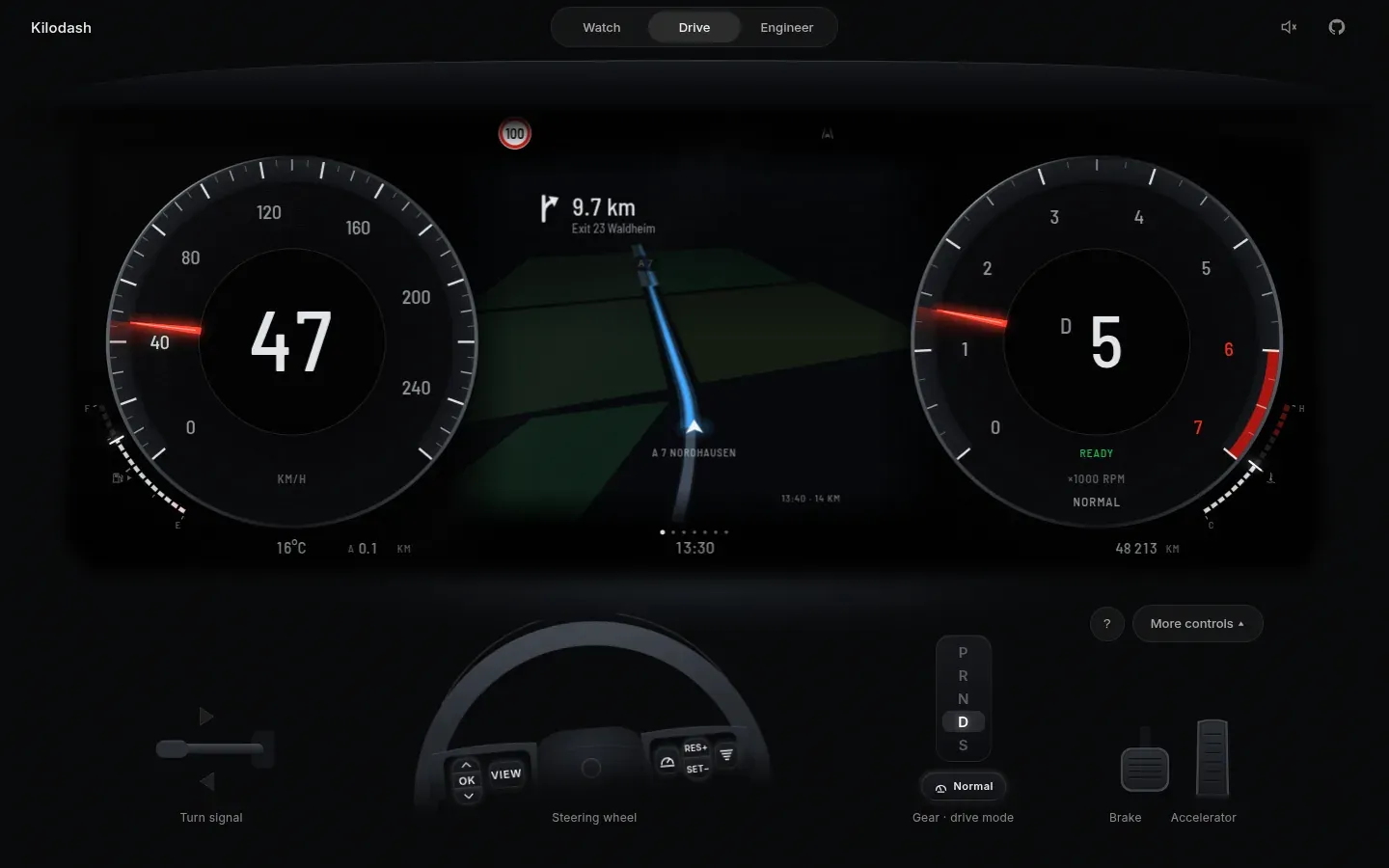
Kilodash runs in the browser at a 1920×720 cluster layout. It has three modes:
- Watch is a guided demo drive in nine chapters, about 2:36 in total, with captions. It plays inside the live simulation, so you can take the wheel at any point.
- Drive gives you the pedals, the steering-wheel buttons, the indicator stalk and the gear lever, by mouse, touch, keyboard or gamepad.
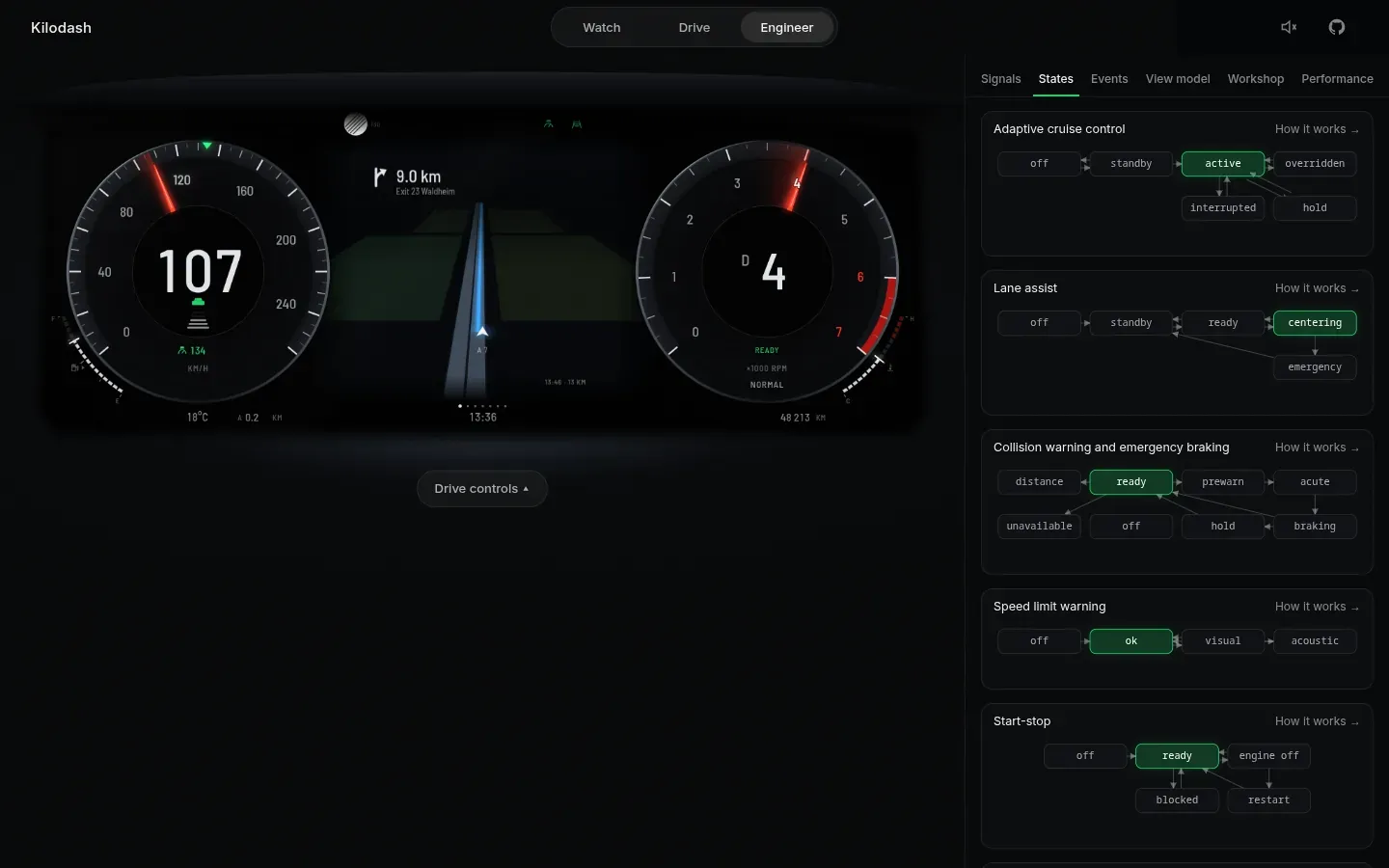
- Engineer shows the internals: live signals, the state machines, an event timeline, and a Workshop to switch on faults.
Underneath is a car simulator. Each driver-assist system is its own state machine with its own tests: adaptive cruise control, lane centering, staged forward collision warning, speed limit assist following EU rules, blind-spot warning, drive modes, start-stop, park assist, and warnings and telltales with priority arbitration. I based the behaviour on owner's manuals and EU rules.
Key decisions
- Vehicle data never goes through React. The cluster is one Canvas renderer that reads a signal store every frame. React only draws the page around it and polls the store a few times a second. At 100 Hz of data, React re-renders would cost frames.
- A deterministic simulator with a fixed 100 Hz step. Physics runs in 10 ms steps, separate from rendering, and anything random goes through a seed. Tests can fast-forward the car, the demo plays the same way every time, and screenshots are pixel-stable. The renderer smooths between steps, and the needles use a spring-damper model.
- Signals use VSS-style names (
Vehicle.Speed,Vehicle.ADAS.CruiseControl.State), with a timestamp and a quality: live, stale or unavailable. The cluster can show stale data honestly, and a recording or a real car could replace the simulator behind the same interface. - Behaviour lives in small classes, drawing lives in widgets. Each system has a
step()that turns inputs into plain state. Widgets only draw that state through view models that do not know about the renderer, so another renderer could reuse them. - Safety colours are data that themes cannot override. Telltale colours and positions come from a fixed table. A theme cannot turn a red warning lamp blue.
What went wrong and what I changed
Emergency braking let go too early. When I reviewed the Safety chapter, emergency braking on a slower moving car released while we were still closing on it at about 5 km/h. The state machine kept braking only while the time to collision stayed short, so it stopped as soon as the car left that band, not when the danger was over. I changed the rule: on a moving car it now brakes until our speed matches the car ahead, within about 1 km/h, and then hands back to the driver. A unit test drives at 100 km/h towards a car doing 40 km/h and checks that braking releases within 3 km/h of 40 and the gap never reaches zero.
The same review found two more problems in that chapter. The demo driver had switched cruise back on during it, and the warning stages looked too alike. The stages are now distinct: an amber pre-warning, a pulsing red "Brake!", then "Emergency braking", which replaces it at once.
Result
| Measure | Value | How |
|---|---|---|
| Unit tests | 252 of 252 passing | 37 files, Vitest |
| Browser tests | 16 of 16 passing | Playwright, against the production build |
| Frame rate | 60.0 fps average | 60 s of the guided demo at 1440×900 |
| Dropped frames | 7 in 60 s | frames over 1.5 vsync intervals |
| First moving frame | 294 ms | median of 3 loads, production build |
| First load | 160 KB gzip JS and CSS | plus 161 KB fonts |
| Vehicle signals | 146 | IDs in the signal catalog |
| Behaviour classes | 20 | the state machines in core/assist, drive and body |
| Warning rules | 48 | with priorities |
The demo is live and the repository is public, including the risks and limitations. Kilodash is not connected to a real vehicle, is not real-time software, and has not been tested with drivers.
How this was built
I built Kilodash with a spec-driven, AI-assisted workflow. I wrote the specifications and the decision records, reviewed the architecture, and checked the output with the test suites and by reviewing screenshots. The AI wrote much of the code to those specifications. The tests and the documents in the repository are how I hold it to them.
More projects
Next project
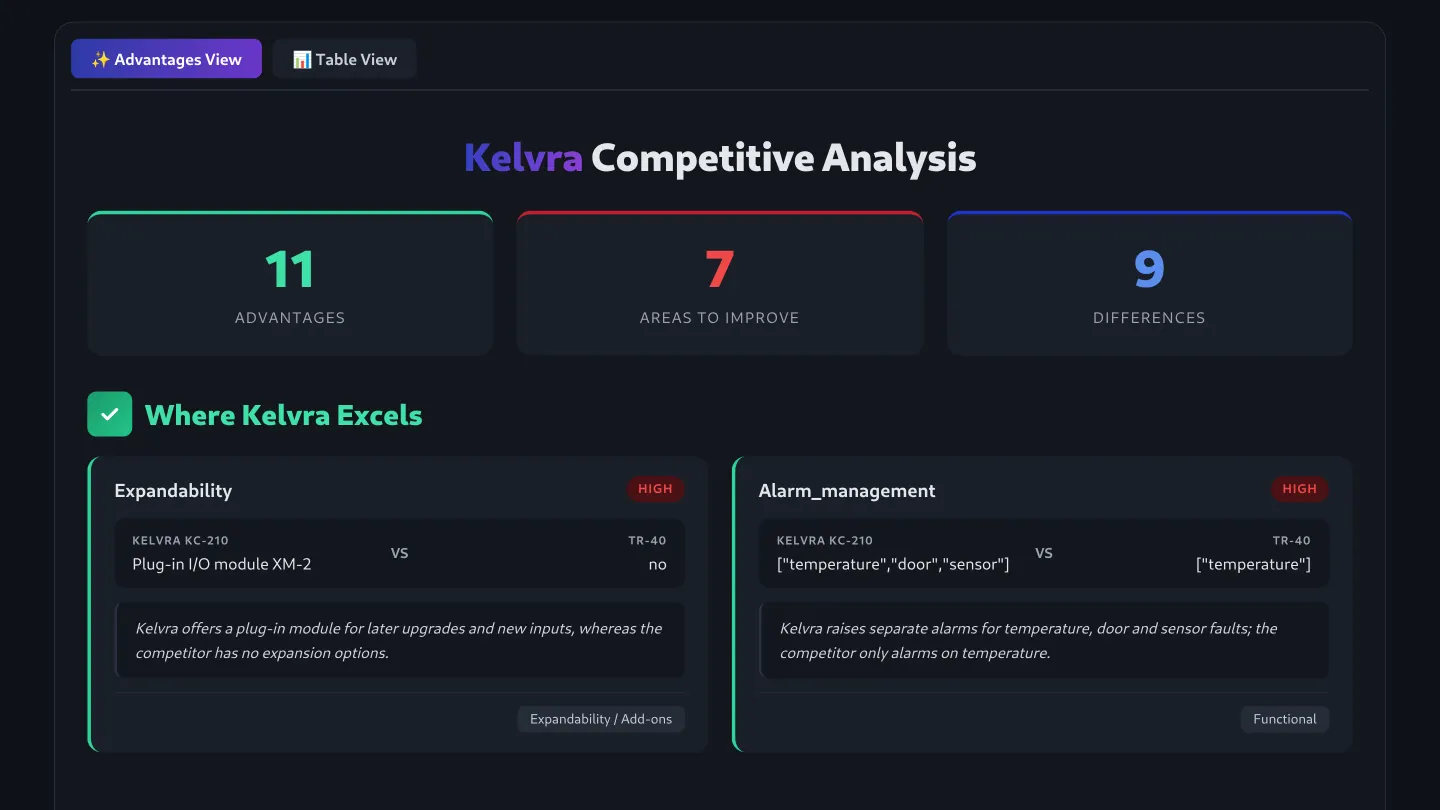
AI Competitor Insight Tool
3rd place at the Danfoss AI Hackathon. Give it a product, and it finds competitors' equivalents, reads their datasheets and shows where the product is ahead or behind.
- Code is not public
Stack: PythonOpenAI APIReact